Collaboration & Sharing
Share gardens, publish links and work together live.
Sharing a garden
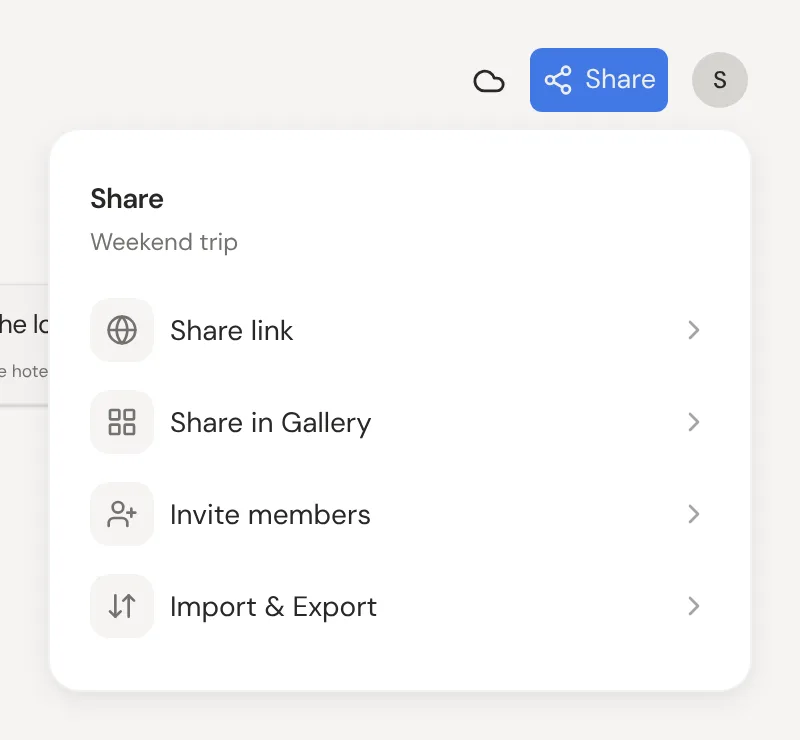
If you own a garden, click Share at the top right, then Invite members, and invite someone by email. New people start as Viewer. In the list, switch someone to Editor or press the bin on their row to remove them.
Roles and permissions
Owners manage members and are the only ones who can empty the Trash. Editors can add, change and connect thoughts. Viewers can only look.
Working in shared gardens
Anything you add to someone else's garden belongs to its owner, and you can't move it back out. Their thoughts stay in their garden, and yours stay in yours. To reuse a garden, copy it instead.
Sharing a link with anyone
In Share, open Share link and click Create share link to publish the canvas as a page anyone can open. It's a snapshot, so press Update after changes; the bin button turns the link off, and sharing again makes a new one. Nested thoughts and hidden properties are never published.
Embedding a published garden
Click Copy embed code to put a published garden on a website, a Notion page or a Miro board. Readers can pan, zoom and click through it. The download button on a published page saves it as a file anyone can import.
Copying a garden
On a published page, click Copy to my garden to get a copy of your own. For a garden shared with you, use the copy button in the gardens panel. The copy is yours, so changing it never touches the original.
Listing in the gallery
In Share, open Share in Gallery and turn on Show in the gallery so anyone can find the canvas. It needs a share link first. Add a few tags and press Save tags to help people find it.
Real-time presence and sync
In a shared garden, you see each other's cursors and changes live. Offline, or while Neural Garden is briefly down, your edits are saved on this device and sync once it's back. Click the cloud at the top right for details, or your picture on a phone.