Getting Started
A quick tour of Neural Garden, your second brain on a canvas.
What is Neural Garden?
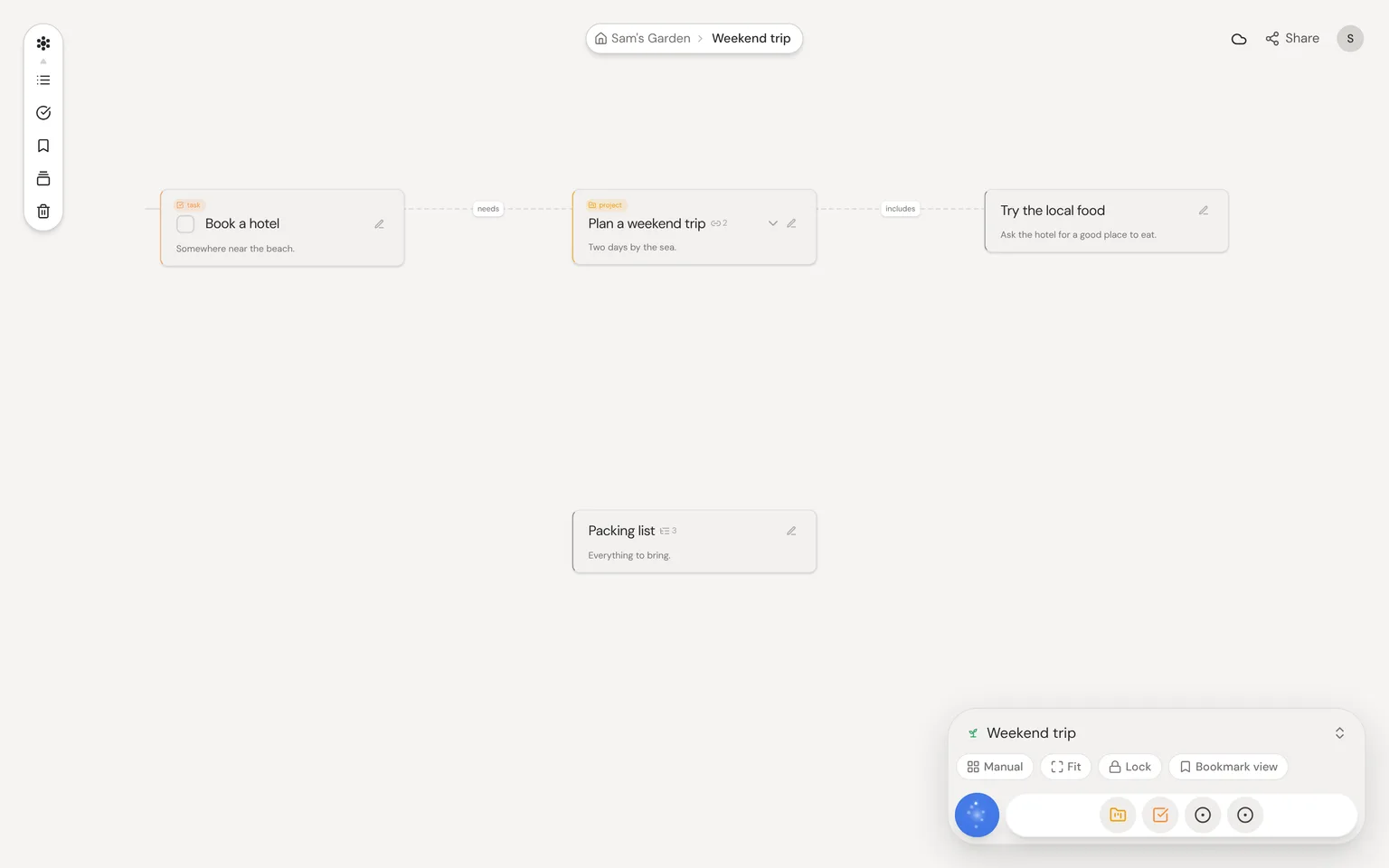
Neural Garden is a big, open canvas for your ideas. Each idea is a card called a thought. Connect thoughts, group them, and let AI help you spot links you missed.
Your first garden
Sign in with an email link, Google, GitHub or Bluesky. There's no separate sign-up, and your first garden opens on its own.
- 1Enter your email and open the link we send you.
- 2Your garden opens.
- 3Double-click the canvas to add a thought.
- 4Type a title and start writing.
Closed beta and the waitlist
Neural Garden is in closed beta, so new accounts start on a waitlist, and we email you when you're in. If someone invited you to their garden, you skip the wait. The button in that email works once, within a day, and after that you sign in as usual.
- 1Tell us how you'd use Neural Garden. It helps us send invites.
- 2Watch for the invite email.
- 3Click its button to sign in and open your garden.
Core concepts
Everything in Neural Garden is built from four things.
- 1Thoughts: cards with a title, notes and an optional type.
- 2Connections: lines that show how thoughts relate.
- 3Gardens: spaces that hold thoughts, even inside other gardens.
- 4Types: kinds of thought, like Task or Person, with their own fields.
Navigating the canvas
Scroll, or swipe with two fingers, to move around. Pinch to zoom. On a phone, drag with one finger.
| Shortcut | Action |
|---|---|
| F | Fit everything in view |
| Cmd/Ctrl + K | Open the command bar |
Your gardens on every device
Your gardens are saved to your account, so they're there on any device you sign in on. When you work with others, changes show up right away. Gardens you've opened on a device also open there with no connection, or while Neural Garden is updating.
Your profile and signing out
Click your picture at the top right for Settings, Help, Report a bug and Log out. Logging out also clears this browser's copy of your gardens, your AI key and cached pages. That's why the same button in Settings is called Clear local data and Log out.
Reporting a bug
Open your profile menu and choose Report a bug. Say what you did and what went wrong. We add details about your device, but never what you wrote.